Take the scenic route.
Pick ores, local specialties, and other resources. Keep their pins on your map and minimap while you explore.
Meet your resource filter ↗ hye✦HUIYAN ENGINE · 慧眼引擎Meet your helper
Your resin is precious. Your adventures should be fun. Meet HYE, your puppy-powered companion for maps, artifacts, builds, and every “just one more wish.”
Made for Genshin Impact · Windows 10 / 11
English & 中文 · Early development
Open the game screen you need. HYE’s puppy-badge buttons appear at the bottom, with useful details just a tap away.
Pick ores, local specialties, and other resources. Keep their pins on your map and minimap while you explore.
Meet your resource filter ↗Read artifact scores, useful rolls, and crit value beside the piece you’re viewing—with suggestions for characters it suits.
Understand artifact ratings ↗Bring your Character Showcase into a handy panel. See gear, talents, artifact grades, and how your build improves.
Check your character build ↗Revisit your 5-stars, banner pity, and wish statistics. Turn memorable pulls into share cards and a Year in Wishes recap.
Explore your wish history ↗Familiar screens, with a friendly helper alongside.
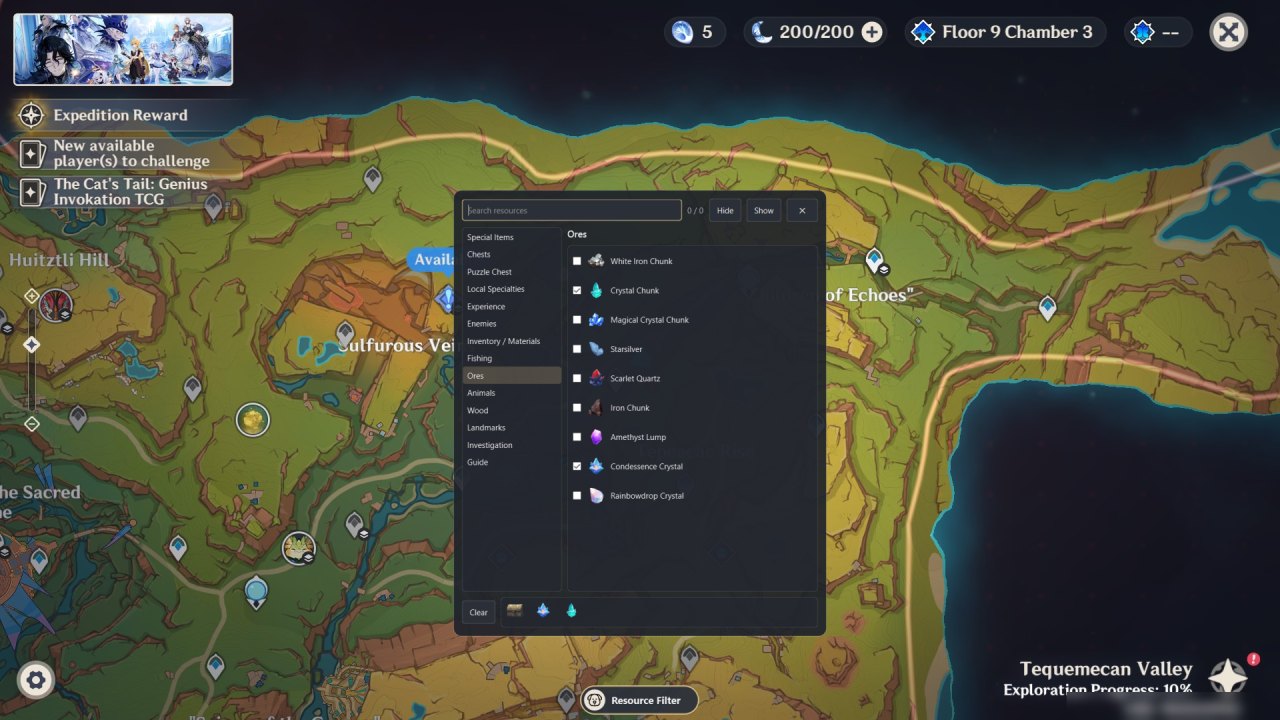
Illustrative screenshots: real app widgets with sample data on game captures. The current app still uses the GenshinPuppy / 原神汪 name and puppy badge.
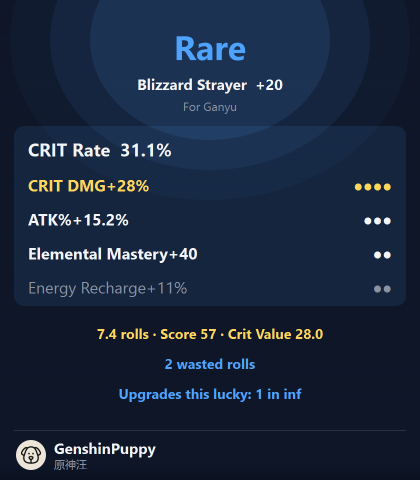
A lovely artifact. An early 5-star. A build that finally comes together. Save a share card and paste it into your next conversation.
Your cards are saved locally and copied to the clipboard. Most of your UID is hidden on share cards.
How sharing works ↗HYE is currently a source-based Windows app. A public one-click installer isn’t available yet. Have the project files? Start here.
Use Windows 10 or 11 and Python 3.11+. You’ll need the app source and local map data for resource tracking.
Run build.cmd once, then run.cmd from the app folder. The setup guide walks through the details.
Open Genshin in windowed or borderless mode. Visit the map, wish, character, or artifact screen and look for the puppy badge.
The website works on phones. The app currently runs on Windows; Android and iPhone editions are not available.
Step-by-step instructions, illustrated walkthroughs, and answers to the things that can trip you up.
Every feature, button, grade, and setting explained.
Read in English ↗从初次启动到祈愿分析、圣遗物评分和地图资源,一起轻松上手。
阅读中文指南 ↗Both languages and all screenshots in an offline HTML help pack.
Download help ZIPKeep Genshin in the foreground and visit a supported screen: map, wishes, character details, or artifacts. Check the home window’s game-status light; green means the game is in front. Use windowed or borderless mode. More troubleshooting.
Open Wish → History in Genshin once, then open HYE’s Wish Analysis panel and sync. HYE reads the temporary history link from the game’s local web cache. If it expires, open History again. You don’t enter your account password into HYE.
Add your character to Profile → Character Showcase and enable Show Character Details. HYE retrieves that public showcase from Enka.Network. Allow a few minutes for changes to appear, then refresh.
Not currently. The app’s capture and overlay features are built for Windows. You can read all guides and view screenshots on your phone.
No. Wish analysis describes your recorded history and estimates luck; it does not predict future pulls or change game outcomes. Artifact and build scores are guidance, not a guarantee of combat performance.
The assistant recognises game screens and displays useful information. Its current tools don’t play the game for you or modify game memory.
Wish sync reads a cached history link and sends its temporary key only to HoYoverse’s history service. Character builds use your UID to request a public showcase from Enka.Network. History and share cards are stored on your PC.
Website accounts store identity and login sessions in Cloudflare. Security activity is retained for 30 days. You can optionally enable signed-in page history in your account privacy settings; only known page paths and timestamps are recorded, visible only to site administrators.
Read the privacy details ↗